
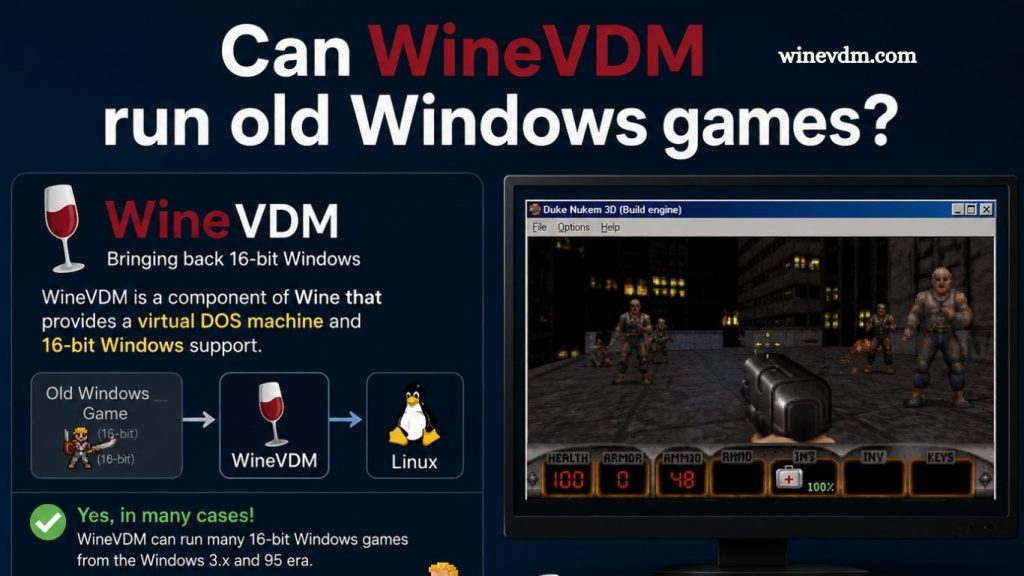
Running classic Windows games on modern computers can be challenging because many older titles were designed for 16-bit versions of Windows that are no longer supported by modern 64-bit operating systems. WineVDM, also known as OTVDM, helps bridge this compatibility gap by allowing many legacy Windows applications and games to run without requiring a virtual machine or an older operating system installation.
Built using components from the Wine project, WineVDM translates older Windows functions into commands that modern systems can understand. This makes it a useful tool for retro gaming enthusiasts looking to revisit classic titles. While compatibility varies depending on the game’s requirements, WineVDM provides a practical and lightweight solution for accessing many older Windows games on current hardware.
But can WineVDM actually run old Windows games? The short answer is yes—at least for many of them. However, its effectiveness depends on the type of game, the Windows version it was designed for, and the technologies it relies on. This article explores what WineVDM is, how it works, and whether it can successfully run older Windows games.
What Is WineVDM?
WineVDM, also known as OTVDM (Old Type Virtual DOS Machine), is an open-source compatibility layer that allows 16-bit Windows applications to run on modern 64-bit versions of Windows. Microsoft removed support for 16-bit applications in 64-bit editions of Windows, making it impossible to run many older programs natively.
Read More: Can WineVDM run Windows 3.1 programs?
WineVDM achieves compatibility by adapting portions of the Wine project, a well-known Windows compatibility layer originally developed for Linux. Instead of emulating an entire operating system, WineVDM translates older Windows API calls into instructions that modern Windows systems can understand.
This approach allows users to launch many legacy applications without setting up a virtual machine or installing an older operating system.
Why Old Windows Games Have Compatibility Problems
To understand WineVDM’s usefulness, it is important to know why older games struggle on modern PCs.
Many games released during the 1990s and early 2000s were designed for:
- 16-bit Windows environments
- DOS-based systems
- Early versions of DirectX
- Outdated graphics and sound drivers
- Lower screen resolutions
Modern 64-bit Windows versions no longer support 16-bit executables. Additionally, many hardware features and software libraries used by these games have been replaced or removed entirely.
As a result, launching an old game often results in error messages, crashes, or complete failure to start.
How WineVDM Helps
WineVDM primarily targets 16-bit Windows applications that would otherwise be incompatible with modern 64-bit systems.
When a user launches a 16-bit executable, WineVDM intercepts the application and provides a compatibility environment that mimics the behavior expected by older software. This allows many classic games and utilities to function without requiring a separate virtual machine.
Benefits of WineVDM include:
- Easy installation
- Minimal system resource usage
- No need for Windows 95 or Windows 98 installations
- Better integration with modern Windows desktops
- Open-source development and community support
For many simple 16-bit games, WineVDM offers a convenient and lightweight solution.
Which Old Games Can WineVDM Run?
WineVDM works best with games that rely primarily on standard Windows APIs and do not require specialized hardware access.
Examples of games that may work include:
Windows 3.x Games
Many educational and puzzle games from the early Windows era can run successfully through WineVDM. These titles generally have simple graphics and limited hardware requirements.
Early Windows 95 Games
Some Windows 95-era games that contain 16-bit launchers or installers may benefit from WineVDM. In certain cases, WineVDM can help install software that would otherwise fail to launch.
Casual and Educational Titles
Games designed for schools, home learning, or basic entertainment often have fewer compatibility issues than complex commercial games.
Because these applications rely on standard Windows functionality, WineVDM is often capable of handling them effectively.
Where WineVDM Struggles
Although WineVDM is useful, it is not a universal solution for every old game.
DOS Games
WineVDM is not intended to run DOS games. For DOS-based titles, DOSBox remains the preferred solution because it accurately emulates the DOS environment.
Advanced DirectX Games
Many late-1990s and early-2000s games rely heavily on DirectX technologies that WineVDM does not fully replicate. These games may launch but experience graphical glitches, sound problems, or instability.
Games Requiring Specific Drivers
Some older games communicate directly with hardware or depend on drivers that no longer exist in modern Windows systems. WineVDM cannot recreate all of these low-level interactions.
Copy Protection Systems
Many classic games used disc-based copy protection mechanisms such as SafeDisc or SecuROM. Modern Windows versions often block these technologies for security reasons, and WineVDM cannot always overcome these restrictions.
WineVDM vs. Virtual Machines
A common alternative to WineVDM is running an older operating system inside a virtual machine.
- Advantages of WineVDM
- Faster setup process
- Lower resource consumption
- Direct integration with Windows
- No need to install a complete legacy operating system
- Advantages of Virtual Machines
- Greater compatibility
- Ability to run complete historical Windows environments
- Better support for software that requires specific system configurations
If a game only needs basic 16-bit compatibility, WineVDM is usually the easier option. However, for demanding games originally designed for Windows 95 or Windows 98, a virtual machine may provide better results.
WineVDM vs. DOSBox
WineVDM and DOSBox serve different purposes.
WineVDM focuses on:
- 16-bit Windows applications
- Older Windows software
- Legacy Windows game installers
DOSBox focuses on:
- DOS games
- DOS applications
- Hardware emulation for classic DOS environments
Users should first determine whether their game is a Windows title or a DOS title before choosing a compatibility solution.
Tips for Better Compatibility
If you plan to use WineVDM for old Windows games, consider the following recommendations:
Check Community Reports
Before installing a game, search online forums and compatibility databases. Other users may have already tested the title and shared their experiences.
Run as Administrator
Some older software expects elevated privileges. Running the game with administrator rights can occasionally resolve startup issues.
Install Additional Components
Certain games may require older runtime libraries, fonts, or multimedia components. Installing these dependencies can improve compatibility.
Experiment with Compatibility Settings
Windows compatibility modes can sometimes work alongside WineVDM to improve stability.
Frequently Asked Questions
What is WineVDM?
WineVDM (OTVDM) is a compatibility layer that enables many 16-bit Windows applications and games to run on modern 64-bit Windows systems.
Can WineVDM run all old Windows games?
No. WineVDM works well with many 16-bit Windows games, but some titles may not run due to compatibility limitations.
Does WineVDM support DOS games?
No. WineVDM is designed for Windows applications, not DOS games. DOSBox is usually the better option for DOS titles.
Is WineVDM free to use?
Yes. WineVDM is an open-source project and is available free of charge.
Can WineVDM run Windows 95 and Windows 98 games?
Some Windows 95 and Windows 98 games work with WineVDM, especially those with 16-bit components, but results vary by game.
Do I need a virtual machine to use WineVDM?
No. WineVDM runs directly on modern Windows systems, eliminating the need for a separate virtual machine in many cases.
What should I do if a game doesn’t work with WineVDM?
Try Windows compatibility settings, community fixes, or consider using a virtual machine or DOSBox depending on the game’s requirements.
Cocnlusion
WineVDM is an excellent solution for running many classic 16-bit Windows games and applications on modern 64-bit Windows systems. It offers a lightweight and convenient alternative to virtual machines, making it easier to revisit older software without installing legacy operating systems.