
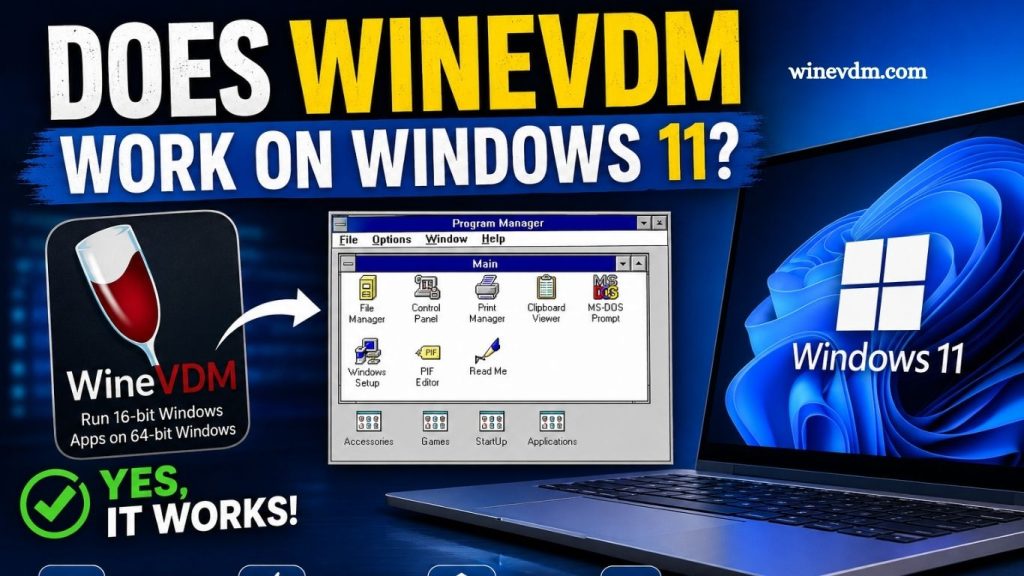
Many users still rely on older Windows applications that were designed for 16-bit operating systems such as Windows 3.x and early versions of Windows 95. Unfortunately, modern 64-bit versions of Windows, including Windows 11, no longer support running 16-bit applications natively. This limitation has led users to seek alternative solutions, one of which is WineVDM.
WineVDM, also known as OTVDM (Old 16-bit Windows Virtual Machine), is a compatibility layer that allows users to run many legacy 16-bit Windows applications on modern 64-bit Windows systems. But does WineVDM work on Windows 11? The short answer is yes, but there are important details and limitations that users should understand before relying on it.
What Is WineVDM?
WineVDM is an open-source project that brings support for running 16-bit Windows applications on modern 64-bit versions of Windows. It is based on components derived from the Wine project, which is widely known for enabling Windows software to run on Linux and other operating systems.
Read More: Why do I need WineVDM?
The primary goal of WineVDM is to recreate the functionality that was removed when Microsoft discontinued support for the NT Virtual DOS Machine (NTVDM) on 64-bit Windows systems. As a result, users can launch many old 16-bit Windows applications without needing to install a virtual machine or maintain an outdated operating system.
Why Windows 11 Cannot Run 16-Bit Applications Natively
Windows 11 is available only as a 64-bit operating system. Microsoft removed support for 16-bit subsystems from 64-bit editions of Windows many years ago, beginning with Windows XP Professional x64 Edition.
As a result:
- 16-bit Windows applications cannot run directly on Windows 11.
- Legacy installers created for 16-bit environments often fail to launch.
- Many business, educational, and archival applications become inaccessible without third-party tools.
This is where WineVDM becomes useful by acting as a compatibility bridge between old software and modern operating systems.
Does WineVDM Work on Windows 11?
Yes, WineVDM generally works on Windows 11 and is commonly used by enthusiasts, archivists, and businesses that need access to legacy software.
Users have successfully run various 16-bit applications, including:
- Older productivity software
- Educational programs
- Legacy business tools
- Classic Windows games
- Historical development utilities
Once installed, WineVDM can intercept the execution of a 16-bit executable file and attempt to run it within its compatibility environment. In many cases, applications launch and operate with little or no additional configuration.
However, compatibility varies depending on the software being used.
How WineVDM Works on Windows 11
When a user attempts to launch a 16-bit executable, WineVDM translates and manages the calls that would normally require a 16-bit Windows environment.
Instead of emulating an entire operating system, WineVDM focuses on providing enough compatibility to execute many older applications directly within Windows 11.
The process typically involves:
- Installing WineVDM.
- Associating 16-bit executable files with WineVDM.
- Launching the legacy application.
- Allowing WineVDM to handle the required Windows API functions.
Because it is not a full virtual machine, applications often start faster and consume fewer system resources than a traditional virtualization solution.
Advantages of Using WineVDM on Windows 11
Easy Setup
Compared with creating a virtual machine and installing an older version of Windows, WineVDM is relatively simple to install and configure.
Lightweight Solution
WineVDM consumes significantly fewer resources than running a complete virtual operating system.
Free and Open Source
The project is freely available and maintained by a community of developers interested in preserving compatibility with older software.
Useful for Legacy Applications
Organizations that depend on historical software may find WineVDM a practical solution for extending the usability of their existing applications.
Limitations and Compatibility Issues
While WineVDM works well for many applications, it is not perfect.
Not All Applications Are Supported
Some 16-bit programs depend on features that WineVDM cannot fully replicate. These applications may fail to start or exhibit unexpected behavior.
Hardware Access Problems
Programs that require direct access to hardware devices, serial ports, or specialized peripherals may encounter compatibility issues.
DOS Applications May Need Other Tools
WineVDM is designed primarily for 16-bit Windows applications. Pure DOS programs may work better with dedicated DOS emulators such as DOSBox.
Occasional Stability Issues
Because WineVDM relies on compatibility layers and reverse-engineered components, crashes and graphical glitches can occur with certain applications.
Alternative Solutions
If WineVDM does not work with a specific application, several alternatives are available.
Virtual Machines
Programs such as VirtualBox and VMware allow users to install older versions of Windows, including Windows 95, Windows 98, and Windows XP.
Advantages include:
- Higher compatibility
- Better support for legacy environments
- Greater control over system settings
The downside is increased complexity and resource usage.
DOSBox
DOSBox is often the preferred solution for DOS-based applications and games.
Compatibility Wrappers
Some old applications have fan-made patches or updated community versions that can run directly on modern Windows systems without WineVDM.
Is WineVDM Safe to Use?
WineVDM itself is generally considered safe when downloaded from trusted sources. As with any software, users should obtain it from the project’s official repository and avoid modified versions from unknown websites.
It is also important to remember that many old applications may contain vulnerabilities or outdated code. Running such software should be done carefully, especially on systems connected to the internet.
Who Should Use WineVDM?
WineVDM is ideal for:
- Retro computing enthusiasts
- Software archivists
- Businesses maintaining legacy applications
- Researchers working with historical software
- Users needing occasional access to older Windows programs
If an application is critical to daily operations and must function reliably, testing WineVDM thoroughly before deployment is recommended.
Frequently Asked Questions
What is WineVDM?
WineVDM is an open-source compatibility layer that enables many 16-bit Windows applications to run on modern 64-bit Windows operating systems, including Windows 11.
Can WineVDM run all 16-bit applications on Windows 11?
No. While WineVDM supports many 16-bit programs, compatibility varies. Some applications may not run correctly due to missing features or hardware dependencies.
Is WineVDM free to use?
Yes. WineVDM is completely free and open-source, allowing users to run legacy Windows applications without purchasing additional software.
Does WineVDM work with Windows 11 64-bit?
Yes. WineVDM is specifically designed to help 64-bit versions of Windows, including Windows 11, run older 16-bit Windows applications.
Can WineVDM run old DOS programs?
WineVDM is mainly intended for 16-bit Windows applications. For DOS-based software and games, DOSBox is usually a better solution.
Is WineVDM safe to install?
WineVDM is generally safe when downloaded from its official source. Users should avoid unofficial downloads and always scan files for security.
What should I do if WineVDM doesn’t run my application?
If WineVDM fails to run a program, consider using a virtual machine with an older version of Windows or a specialized emulator like DOSBox.
Conclusion
WineVDM is an effective solution for running many 16-bit Windows applications on Windows 11, making it valuable for users who need access to legacy software. Its lightweight design, ease of use, and open-source nature make it a convenient alternative to setting up a virtual machine. While it does not guarantee compatibility with every older program, it successfully bridges the gap between modern 64-bit Windows systems and many classic applications.