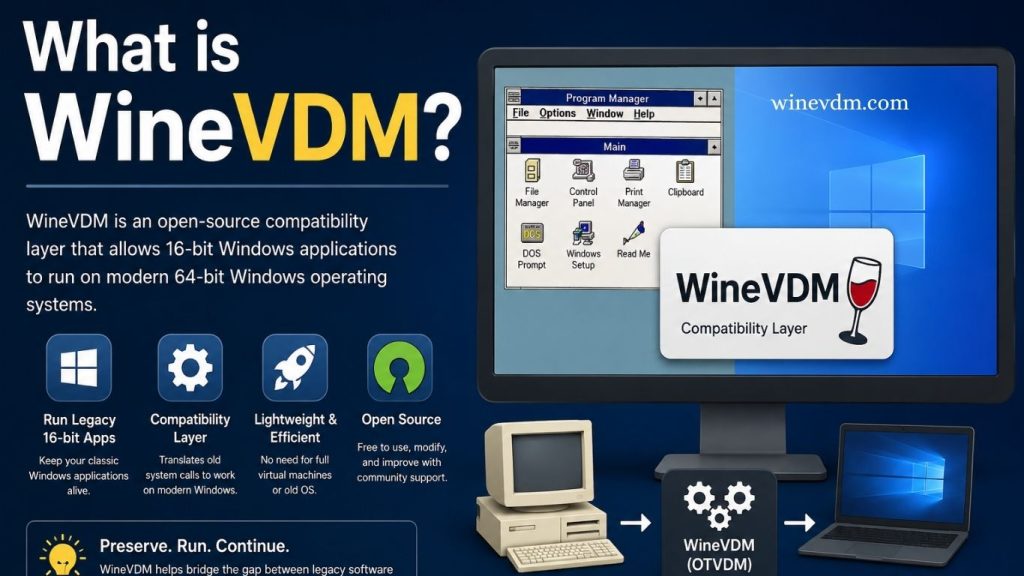
WineVDM is a specialized software component designed to enable the execution of legacy 16-bit Windows applications on modern operating systems. As technology continues to evolve, many older programs become incompatible with newer versions of Windows due to architectural changes in hardware and software. WineVDM addresses this challenge by providing a compatibility layer that allows users to run classic applications that would otherwise be unusable on contemporary systems.
For businesses, enthusiasts, developers, and organizations that still rely on older software, WineVDM offers a practical solution without requiring a complete migration to outdated operating systems. Understanding how WineVDM works and why it matters can help users preserve access to valuable legacy applications.
Understanding the Need for WineVDM
The earliest versions of Microsoft Windows supported 16-bit applications, particularly those developed for Windows 3.x and early Windows 95 environments. However, as operating systems transitioned to 32-bit and eventually 64-bit architectures, support for 16-bit software gradually disappeared.
Read More: What is WineVDM?
Modern 64-bit versions of Windows do not include the NT Virtual DOS Machine (NTVDM), which was previously responsible for running older 16-bit programs. As a result, users attempting to launch such applications often encounter compatibility errors or find that the software simply refuses to start.
This is where WineVDM becomes useful. It acts as a bridge between old software and modern operating systems, allowing users to continue using legacy applications without maintaining outdated hardware or installing older versions of Windows.
What Exactly is WineVDM?
WineVDM, also known as “OTVDM” (Old Type Virtual DOS Machine), is an open-source compatibility layer that enables 16-bit Windows applications to run on 64-bit Windows systems.
The project borrows technology and concepts from the Wine project, which is widely known for running Windows applications on Linux and other operating systems. WineVDM adapts portions of this technology specifically for running older Windows applications within modern Windows environments.
Rather than emulating an entire computer system, WineVDM translates the instructions and system calls made by legacy software into formats that modern Windows operating systems can understand. This approach typically provides better performance than full hardware emulation.
How WineVDM Works
WineVDM functions by creating an environment that mimics the behavior of older Windows systems. When a 16-bit application is launched, WineVDM intercepts its requests and translates them into compatible 32-bit or 64-bit operations.
The process generally involves:
Application Loading
WineVDM loads the legacy application and prepares the necessary runtime environment.
API Translation
Older software relies on outdated Windows APIs. WineVDM translates these API calls into equivalents that modern operating systems can process.
Memory Management
Since 16-bit applications use different memory addressing methods than modern software, WineVDM handles memory allocation and translation to maintain compatibility.
User Interface Rendering
Windows, menus, dialogs, and controls used by older applications are recreated using modern Windows components while preserving their original functionality.
Through these mechanisms, WineVDM allows many legacy applications to run almost as if they were executing on their native operating systems.
Key Features of WineVDM
WineVDM includes several features that make it valuable for users working with older software.
Support for 16-Bit Windows Applications
The primary feature is its ability to run 16-bit Windows programs on 64-bit versions of Windows where native support no longer exists.
Open-Source Development
Because WineVDM is open source, developers can inspect the code, contribute improvements, and customize functionality according to their needs.
Lightweight Operation
Unlike full virtual machines, WineVDM does not require users to install an entire operating system. This reduces resource consumption and simplifies deployment.
Easy Installation
Most users can install WineVDM quickly and begin launching compatible applications without extensive configuration.
Continuous Improvements
The project benefits from ongoing community contributions that improve compatibility and stability over time.
Benefits of Using WineVDM
Preserving Legacy Software
Many organizations still rely on custom-built applications created decades ago. Rewriting these programs can be expensive and time-consuming. WineVDM helps preserve access to such software.
Cost Savings
Instead of maintaining aging hardware or purchasing specialized virtualization solutions, users can run older applications directly on modern systems.
Increased Productivity
Employees and professionals can continue using familiar software tools without interruptions caused by compatibility issues.
Historical and Educational Value
Researchers, historians, and technology enthusiasts often use WineVDM to explore classic software and preserve computing history.
Simplified Maintenance
Managing a compatibility layer is generally easier than maintaining separate legacy machines solely for running outdated applications.
Common Use Cases
WineVDM is useful in several scenarios.
Business Applications
Many companies possess legacy accounting, inventory, or database software developed for older Windows environments. WineVDM helps keep these applications operational.
Industrial Systems
Manufacturing and industrial environments sometimes depend on proprietary software that was never updated for modern operating systems.
Educational Institutions
Schools and universities may use WineVDM to access historical educational software for research or demonstration purposes.
Software Preservation
Archivists and digital preservation experts use WineVDM to maintain access to older software products.
Hobbyist Computing
Retro-computing enthusiasts frequently use WineVDM to run classic applications and games on modern PCs.
Limitations of WineVDM
While WineVDM is a powerful compatibility tool, it is not perfect.
Incomplete Compatibility
Some applications may not function correctly due to unsupported features or unique programming techniques used by the original developers.
Hardware Dependencies
Programs requiring direct access to legacy hardware may still encounter problems.
Performance Variations
Although generally efficient, certain applications may experience reduced performance depending on their design.
Lack of Official Vendor Support
Software vendors may no longer support their legacy products, making troubleshooting more difficult.
Security Concerns
Older applications were not designed with modern cybersecurity threats in mind. Users should exercise caution when running outdated software.
WineVDM vs Virtual Machines
A virtual machine runs an entire guest operating system, such as Windows 3.1 or Windows 95, inside a software container. This approach offers high compatibility but consumes more system resources and requires additional setup.
WineVDM, on the other hand, focuses specifically on application compatibility. It allows users to run individual programs directly on the host operating system without installing a complete legacy environment.
For users who only need access to a few older applications, WineVDM is often the simpler and more efficient choice.
Frequently Asked Questions
What is WineVDM?
WineVDM is an open-source compatibility layer that allows 16-bit Windows applications to run on modern 64-bit Windows operating systems.
Why was WineVDM created?
WineVDM was developed to restore compatibility for legacy 16-bit Windows software that can no longer run natively on modern 64-bit versions of Windows.
Is WineVDM free to use?
Yes, WineVDM is an open-source project and is available for free to download, use, and modify.
Can WineVDM run all 16-bit Windows applications?
No. While WineVDM supports many legacy applications, some programs may not work correctly due to compatibility limitations or hardware dependencies.
Does WineVDM require a virtual machine?
No. Unlike virtualization software, WineVDM runs applications directly on the host operating system without requiring a full legacy Windows installation.
Is WineVDM safe to use?
WineVDM itself is generally safe when obtained from trusted sources. However, users should be cautious when running old software, as legacy applications may contain security vulnerabilities.
Who can benefit from using WineVDM?
Businesses, developers, researchers, educators, archivists, and retro-computing enthusiasts can all benefit from WineVDM when they need access to older Windows applications.
Conclusion
WineVDM is a valuable compatibility tool that helps bridge the gap between legacy 16-bit Windows applications and modern 64-bit operating systems. By allowing older software to run without the need for outdated hardware or full virtual machines, it provides a convenient and cost-effective solution for businesses, developers, and technology enthusiasts. Although not every legacy application is fully supported, WineVDM remains one of the most practical options for preserving access to classic Windows software and ensuring that important programs continue to function in today’s computing environment.