
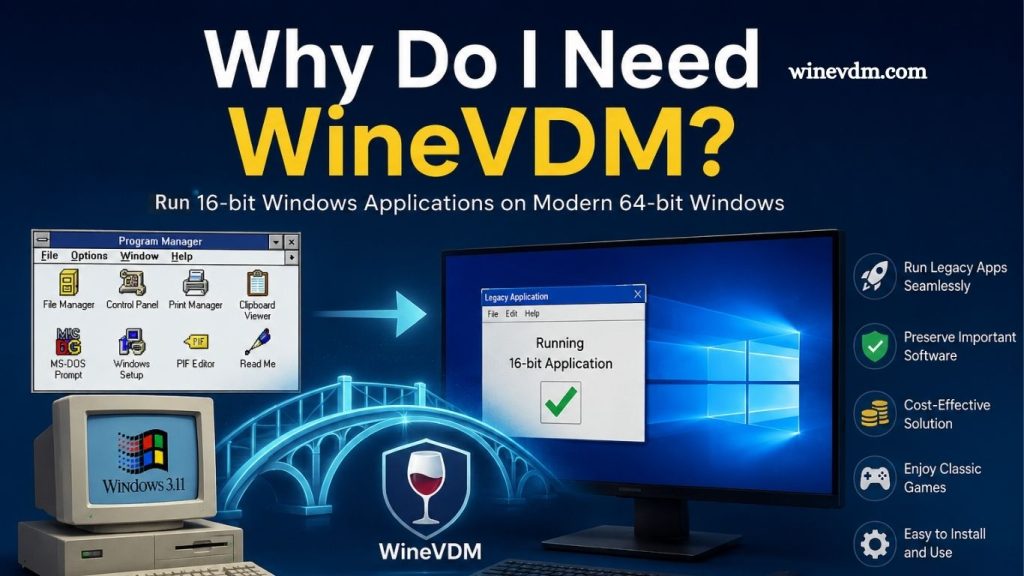
As technology continues to evolve, many users find themselves needing to run older Windows applications on modern operating systems. Whether it’s a legacy business program, a classic game, or specialized software that was designed decades ago, compatibility can become a significant challenge. This is especially true for 16-bit Windows applications, which are no longer supported on modern 64-bit versions of Windows.
This is where WineVDM comes into the picture. WineVDM is a compatibility layer that enables users to run 16-bit Windows applications on modern 64-bit Windows systems. For individuals and organizations that still rely on older software, WineVDM offers a practical and efficient solution without requiring a complete system downgrade or virtual machine setup.
What Is WineVDM?
WineVDM, also known as OTVDM (Old Windows Tool Virtual DOS Machine), is an open-source project designed to provide support for running 16-bit Windows applications on modern Windows operating systems. It is based on technology derived from the Wine project, which is well known for enabling Windows applications to run on Linux and other platforms.
Read More: Is WineVDM safe to use?
Modern 64-bit versions of Windows have completely removed support for 16-bit applications. This means that software developed for Windows 3.x, Windows 95, and early versions of Windows may no longer launch at all. WineVDM bridges this compatibility gap by translating and managing the older application environment within a modern system.
Instead of requiring users to install an outdated operating system or configure a virtual machine, WineVDM allows many legacy applications to run directly from the desktop.
Why Modern Windows Cannot Run 16-Bit Applications
Older Windows software was built using a 16-bit architecture. As computing technology advanced, Microsoft transitioned to 32-bit and later 64-bit systems. While 32-bit versions of Windows retained some compatibility with 16-bit software through the NTVDM (NT Virtual DOS Machine) subsystem, 64-bit Windows removed this feature entirely.
The reasons for removing support include:
- Improved security
- Better system stability
- Performance optimization
- Simplified operating system architecture
As a result, users who attempt to run older applications on Windows 10 or Windows 11 often encounter error messages indicating that the application cannot be executed.
WineVDM restores much of this lost compatibility.
Benefits of Using WineVDM
Run Legacy Applications Without Virtual Machines
Without WineVDM, users often need to install a virtual machine and run an older version of Windows just to access a single application. This process can be time-consuming and resource-intensive.
WineVDM eliminates much of this complexity by allowing compatible applications to run directly on the host operating system. This saves time and reduces system overhead.
Preserve Important Business Software
Many businesses continue to rely on legacy software that was developed years or even decades ago. In some cases, the original developers no longer exist, making upgrades impossible.
Examples include:
- Accounting systems
- Inventory management tools
- Manufacturing software
- Medical record applications
- Engineering utilities
WineVDM helps organizations maintain access to these critical tools without requiring expensive migrations or complete software replacements.
Enjoy Classic Windows Games
Retro gaming enthusiasts often encounter compatibility issues when trying to play classic Windows games on modern computers.
Many games from the Windows 3.x and Windows 95 era were built as 16-bit applications. Without compatibility tools, these games simply refuse to launch on current systems.
WineVDM provides a practical way to revisit classic titles while preserving their original functionality.
Cost-Effective Solution
Migrating to new software can be expensive. Businesses may need to purchase new licenses, train employees, and convert existing data.
WineVDM offers a low-cost alternative by extending the usability of existing software. Since it is open-source, users can often implement it without additional licensing costs.
This makes it particularly attractive for small businesses and individual users who need occasional access to older applications.
Easy Installation and Setup
Compared to configuring virtual machines or maintaining legacy hardware, WineVDM is relatively simple to install.
Most users can:
- Download WineVDM.
- Install the compatibility layer.
- Launch the desired 16-bit application.
This straightforward approach reduces technical barriers and allows users to focus on their work rather than troubleshooting compatibility issues.
Who Should Use WineVDM?
WineVDM is particularly useful for several groups of users.
Business Professionals
Organizations that depend on legacy software can benefit from maintaining compatibility without replacing entire systems.
Software Archivists
People involved in preserving historical software often need tools capable of running old applications exactly as they were originally designed.
Retro Computing Enthusiasts
Collectors and hobbyists frequently use WineVDM to explore vintage Windows programs and games.
Researchers and Educators
Academic institutions may require access to older software for research projects, historical analysis, or educational demonstrations.
Limitations of WineVDM
While WineVDM is highly useful, it is not a perfect solution.
Some limitations include:
- Not every 16-bit application is fully compatible.
- Certain programs may experience graphical or performance issues.
- Hardware-dependent software may not function correctly.
- Some DOS-based applications may require additional tools.
Because of these factors, users should test their specific applications before relying on WineVDM in production environments.
WineVDM vs. Virtual Machines
Many users wonder whether WineVDM is better than using a virtual machine.
The answer depends on your needs.
WineVDM Advantages:
- Faster setup
- Lower resource usage
- Direct integration with Windows
- No separate operating system required
Virtual Machine Advantages:
- Higher compatibility for complex software
- Full legacy operating system environment
- Better support for hardware-specific applications
For many everyday compatibility scenarios, WineVDM provides a simpler and more efficient solution.
Frequently Asked Questions
What is WineVDM?
WineVDM is an open-source compatibility layer that allows 16-bit Windows applications to run on modern 64-bit Windows operating systems.
Why can’t 16-bit applications run on modern Windows versions?
Microsoft removed 16-bit application support from 64-bit versions of Windows, making older software incompatible without additional tools.
Is WineVDM free to use?
Yes, WineVDM is a free and open-source project that users can download and use without licensing fees.
Can WineVDM run all old Windows programs?
No. While WineVDM supports many 16-bit applications, some programs may not work correctly due to compatibility limitations.
Do I need a virtual machine if I use WineVDM?
In most cases, no. WineVDM allows many legacy applications to run directly on your Windows system without requiring a virtual machine.
Is WineVDM suitable for businesses?
Yes. Businesses that rely on older software can use WineVDM to maintain access to legacy applications without costly software replacements.
Can WineVDM be used for classic Windows games?
Yes. Many retro Windows games designed for 16-bit environments can run on modern systems with the help of WineVDM.\
Conclusion
WineVDM is a valuable solution for users who need to run legacy 16-bit Windows applications on modern 64-bit systems. It eliminates the need for outdated hardware or complex virtual machine setups, making it easier to access older software that remains useful today. Whether you’re preserving classic programs, supporting business-critical applications, or enjoying retro Windows games, WineVDM provides a practical and cost-effective way to maintain compatibility.