
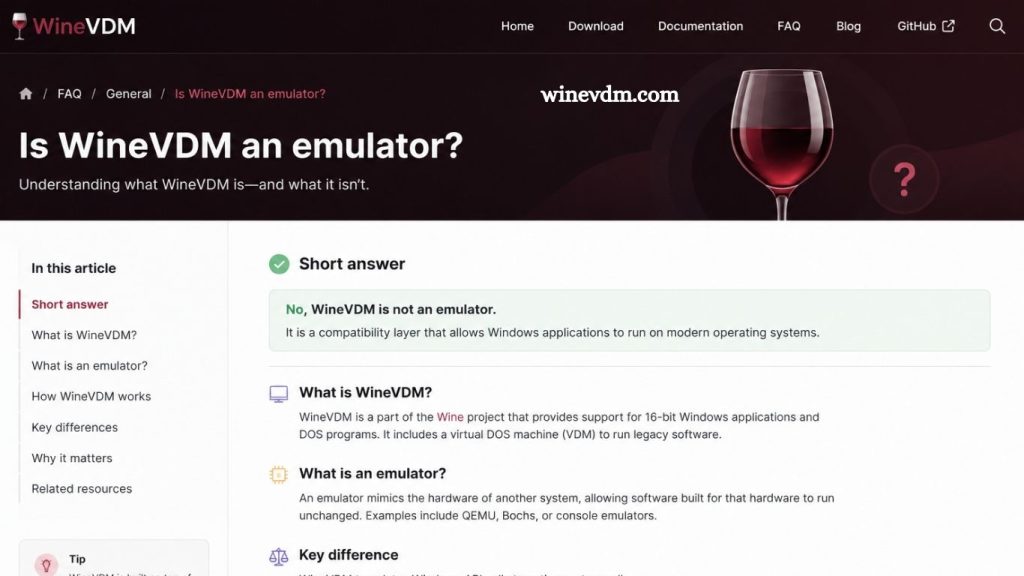
When discussing software compatibility tools for running older applications on modern operating systems, the term “emulator” is often used loosely. One tool that frequently sparks this discussion is WineVDM, also known as OTVDM (Old Type Virtual DOS Machine). Many users wonder whether WineVDM is truly an emulator or something entirely different.
Understanding the answer requires a closer look at how WineVDM works, its purpose, and how it differs from traditional emulation technologies. This article explores what WineVDM is, how it functions, and whether it should accurately be classified as an emulator.
What Is WineVDM?
WineVDM is a compatibility layer designed to run 16-bit Windows applications on modern 64-bit versions of Microsoft Windows. As operating systems evolved, Microsoft removed support for running 16-bit applications directly on 64-bit editions of Windows. This created a problem for users who still relied on legacy software developed during the Windows 3.x and early Windows 95 eras.
WineVDM was created to bridge this compatibility gap. It allows these older applications to run without requiring users to install a separate operating system or virtual machine. The project borrows components and concepts from the Wine project, which is well known for enabling Windows applications to run on Linux and other operating systems.
Read More: Can WineVDM run old Windows games?
By translating legacy Windows API calls into modern equivalents, WineVDM provides an environment where older software can function on current versions of Windows.
Understanding What an Emulator Is
Before determining whether WineVDM is an emulator, it is important to define emulation.
An emulator is software or hardware that imitates the behavior of a different computer system or architecture. Emulators recreate the functionality of an entire environment so that software designed for one platform can run on another.
Examples include:
- DOSBox emulating a DOS environment
- Console emulators that run games from older gaming systems
- Android emulators that simulate mobile devices on desktop computers
- QEMU emulating different processor architectures
In most cases, emulators reproduce hardware behavior, operating system functions, or both. They often translate instructions from one architecture to another and create a complete virtual representation of the original environment.
How WineVDM Actually Works
WineVDM does not recreate an entire computer system. Instead, it acts as a compatibility layer between old applications and modern Windows operating systems.
When a 16-bit Windows program attempts to execute a function, WineVDM intercepts the request and translates it into a form that modern Windows can understand. Rather than simulating old hardware, it maps legacy APIs and system calls to current operating system functions.
This approach is fundamentally different from traditional emulation. Instead of creating a virtual version of an older computer, WineVDM allows software to communicate directly with the host operating system through translation mechanisms.
Because the original x86 instruction set is still supported by modern processors, WineVDM does not need to emulate CPU instructions. The code runs natively on the processor while WineVDM handles compatibility issues related to the software environment.
Why WineVDM Is Often Mistaken for an Emulator
Many users refer to WineVDM as an emulator because it allows old software to run on newer systems. From a practical perspective, the end result looks similar to what an emulator achieves.
Several factors contribute to this misunderstanding:
It Runs Legacy Applications
Users see older programs functioning on unsupported operating systems and naturally assume some form of emulation is occurring.
It Recreates Missing Functionality
WineVDM provides support for features that no longer exist in modern Windows versions. This can appear similar to how emulators recreate older system environments.
It Acts as a Compatibility Bridge
The distinction between compatibility layers and emulators is not always obvious to non-technical users. Since both technologies improve software compatibility, the terms are sometimes used interchangeably.
However, the underlying technologies are significantly different.
Compatibility Layer vs. Emulator
The most accurate way to describe WineVDM is as a compatibility layer rather than an emulator.
A compatibility layer enables software designed for one environment to work in another by translating system calls and APIs. It does not simulate hardware or recreate an entire operating system.
Consider the following comparison:
| Feature | WineVDM | Traditional Emulator |
|---|---|---|
| Simulates hardware | No | Yes |
| Recreates full operating system environment | No | Often |
| Translates APIs | Yes | Sometimes |
| Runs CPU instructions natively | Yes | Often No |
| Performance overhead | Low | Higher |
Because WineVDM avoids hardware simulation, it typically offers better performance than a full emulator. Applications run closer to native speed because the processor executes the original machine code directly.
Comparison with DOSBox
DOSBox emulates an entire DOS environment, including aspects of older hardware such as sound cards, graphics adapters, and memory management systems. It recreates the behavior of a vintage PC to ensure software compatibility.
WineVDM takes a different approach. It assumes the underlying hardware and processor architecture remain compatible and focuses only on translating software interfaces.
As a result:
- DOSBox is an emulator.
- WineVDM is primarily a compatibility layer.
Although both can help run older software, they achieve that goal through different technical methods.
Advantages of WineVDM’s Approach
WineVDM offers several benefits due to its compatibility-layer architecture.
Better Performance
Since no complete hardware simulation occurs, applications can run more efficiently.
Lower Resource Usage
Compatibility layers generally consume fewer system resources than full emulators or virtual machines.
Easy Deployment
Users do not need to install an additional operating system or configure complex virtual environments.
Seamless Integration
Applications can interact more naturally with the host Windows system, making them feel less isolated than programs running inside a virtual machine.
These advantages make WineVDM an attractive solution for preserving access to legacy business software, educational tools, and older productivity applications.
Limitations of WineVDM
Some very old applications may depend on undocumented behaviors, specific hardware interactions, or features that WineVDM cannot fully replicate. In such cases, users may need to rely on a virtual machine or a dedicated emulator.
Compatibility can vary depending on the application, and not every 16-bit program will run flawlessly.
Additionally, WineVDM is primarily focused on Windows applications rather than DOS programs, which may require alternative solutions such as DOSBox.
Frequently Asked Questions
What is WineVDM?
WineVDM, also known as OTVDM, is a compatibility layer that allows 16-bit Windows applications to run on modern 64-bit Windows systems.
Is WineVDM an emulator?
No. WineVDM is not a true emulator. It translates legacy Windows API calls rather than simulating hardware or an entire operating system.
What types of applications can WineVDM run?
WineVDM is primarily designed to run 16-bit Windows applications created for older versions of Windows, such as Windows 3.x.
How does WineVDM differ from DOSBox?
DOSBox emulates a complete DOS environment and hardware, while WineVDM acts as a compatibility layer that translates software calls for modern Windows.
Does WineVDM work on 64-bit Windows?
Yes. WineVDM was specifically developed to restore support for 16-bit Windows applications on 64-bit versions of Windows.
Is WineVDM free to use?
Yes. WineVDM is an open-source project and can be downloaded and used free of charge.
Can WineVDM run every 16-bit application?
Not always. While it supports many legacy applications, compatibility varies, and some programs may not function correctly due to missing features or dependencies.
Conclusion
WineVDM is not an emulator in the traditional sense. Instead, it functions as a compatibility layer that enables 16-bit Windows applications to run on modern 64-bit Windows systems by translating legacy API calls into formats that current versions of Windows can understand. Unlike emulators, which recreate hardware and entire operating environments, WineVDM focuses on software compatibility while allowing programs to run natively on the processor.