
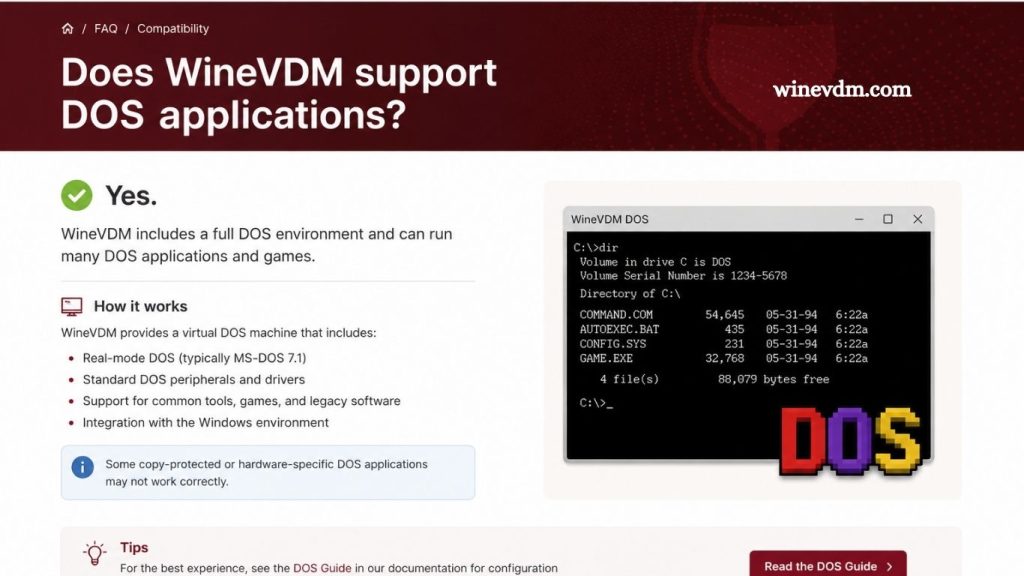
Running older software on modern versions of Windows has become increasingly challenging. As technology evolves, operating systems often drop support for legacy applications, particularly those designed for 16-bit environments. Many users looking to preserve access to classic programs encounter tools such as WineVDM and wonder whether it can also run DOS applications. Understanding the purpose and capabilities of WineVDM is essential for determining whether it is the right solution for your needs.
This article explores what WineVDM is, how it works, and whether it supports DOS applications. We will also discuss alternative methods for running DOS software on modern Windows systems.
What Is WineVDM?
WineVDM, also known as OTVDM (Old Type Virtual DOS Machine), is an open-source compatibility layer designed to run 16-bit Windows applications on 64-bit versions of Windows. Microsoft removed support for 16-bit Windows programs in 64-bit editions of Windows, leaving many legacy applications unusable.
Read More: Is WineVDM an emulator?
WineVDM fills this gap by implementing portions of the Windows-on-Windows (WOW) subsystem using components derived from the Wine project. This allows users to launch and run many older Windows applications that were originally designed for Windows 3.x and early versions of Windows 95.
Understanding the Difference Between DOS and 16-Bit Windows Applications
To determine whether WineVDM supports DOS applications, it is important to understand the distinction between DOS software and 16-bit Windows software.
DOS Applications
DOS applications are programs designed to run directly under MS-DOS or compatible operating systems. They typically operate through a command-line interface and have direct access to system resources. Examples include classic utilities, business software, and many games from the 1980s and early 1990s.
16-Bit Windows Applications
16-bit Windows applications were designed to run within the graphical Windows environment, such as Windows 3.0, Windows 3.1, and Windows for Workgroups. These programs rely on Windows APIs and graphical user interfaces rather than DOS command-line functionality.
Although some Windows programs may have DOS roots, they are fundamentally different from native DOS applications.
Does WineVDM Support DOS Applications?
WineVDM focuses on running 16-bit Windows applications. It recreates the environment necessary for these programs to function on modern 64-bit Windows systems. Native DOS software requires a different type of emulation because DOS programs interact with hardware and operating system services in ways that WineVDM does not fully emulate.
While certain DOS-based installers or hybrid applications may occasionally launch through WineVDM, native DOS programs generally are not its intended use case. Users seeking reliable DOS compatibility should consider dedicated DOS emulation solutions instead.
Why WineVDM Is Limited for DOS Software
Several technical factors explain why WineVDM is not an ideal solution for DOS applications.
Different Operating Environments
DOS programs expect a DOS operating system environment with specific memory management, interrupt handling, and hardware access mechanisms. WineVDM primarily emulates Windows APIs rather than a complete DOS environment.
Hardware Compatibility Challenges
Many DOS applications, especially games, rely on direct access to hardware components such as sound cards, graphics adapters, and input devices. Modern Windows systems restrict such direct hardware access, making accurate emulation necessary.
Focus on Windows APIs
WineVDM’s development efforts concentrate on implementing legacy Windows functionality. As a result, DOS-specific features receive less attention and support compared to 16-bit Windows compatibility.
Best Alternatives for Running DOS Applications
If your goal is to run DOS software on a modern computer, several alternatives provide significantly better compatibility than WineVDM.
DOSBox
DOSBox is one of the most popular solutions for running DOS applications and games. It emulates an entire DOS environment, including graphics, sound, and processor behavior.
Benefits of DOSBox include:
- Excellent compatibility with DOS games
- Support for sound card emulation
- Customizable performance settings
- Active development and community support
DOSBox is often considered the first choice for retro gaming and legacy DOS software.
DOSBox-X
DOSBox-X is an enhanced version of DOSBox that offers additional features and broader compatibility.
Advantages include:
- Improved support for older DOS applications
- Better hardware emulation
- Enhanced configuration options
- Support for various DOS environments
It is particularly useful for users who need advanced compatibility features.
Virtual Machines
Another option is running an actual DOS operating system inside a virtual machine.
Popular virtualization platforms include:
- VirtualBox
- VMware Workstation
- Hyper-V
Installing MS-DOS, FreeDOS, or another DOS-compatible operating system within a virtual machine can provide a highly authentic experience for certain applications.
FreeDOS
FreeDOS is a free and open-source DOS-compatible operating system. It can run on real hardware or within virtual machines and is often used as a replacement for classic MS-DOS.
Many legacy business applications and utilities work well under FreeDOS.
When WineVDM Is the Right Choice
Although WineVDM is not the best option for DOS software, it remains extremely valuable in other scenarios.
WineVDM is ideal when you need to run:
- Windows 3.x applications
- 16-bit productivity software
- Legacy business programs
- Older setup and installation utilities
- Specialized software designed for early Windows versions
If a program was originally intended to run within the Windows graphical environment rather than DOS itself, WineVDM may be an excellent solution.
Identifying Whether Your Program Is DOS-Based
Before choosing a compatibility solution, determine whether your application is a DOS program or a Windows program.
Some indicators of a DOS application include:
- Running from a command prompt
- Using text-based interfaces
- Requiring DOS commands
- Originally distributed for MS-DOS
Indicators of a 16-bit Windows application include:
- Graphical windows and menus
- Program Manager icons
- Windows 3.x compatibility requirements
- Executable files designed for Windows environments
Identifying the software type helps ensure you select the most appropriate compatibility tool.
Frequently Asked Questions
What is WineVDM?
WineVDM (OTVDM) is an open-source compatibility layer that allows 16-bit Windows applications to run on modern 64-bit Windows systems.
Does WineVDM support native DOS applications?
No, WineVDM is primarily designed for 16-bit Windows applications and does not provide full support for native DOS programs.
Why can’t WineVDM run most DOS software?
DOS applications require a DOS operating environment and hardware emulation that WineVDM does not fully implement.
What is the best alternative to WineVDM for DOS applications?
DOSBox is generally considered the best option because it emulates a complete DOS environment with strong compatibility.
Can WineVDM run Windows 3.1 programs?
Yes, WineVDM is specifically designed to run many Windows 3.x and other 16-bit Windows applications on 64-bit Windows.
Is DOSBox better than WineVDM?
Neither is universally better; DOSBox is ideal for DOS software, while WineVDM is better suited for 16-bit Windows applications.
How can I tell if my program is a DOS application or a Windows application?
DOS programs typically use text-based interfaces and command-line execution, while Windows applications feature graphical interfaces, windows, and menus.
Conclusion
WineVDM is an excellent solution for running legacy 16-bit Windows applications on modern 64-bit Windows systems, but it is not intended to serve as a full DOS emulator. While some hybrid programs may work under certain circumstances, native DOS applications generally require dedicated tools such as DOSBox, DOSBox-X, or FreeDOS for reliable performance and compatibility.